Using digital products and services in a variety of contexts to achieve a purposeful outcome
TCH 0-01a – I can explore digital technologies and use what I learn to solve problems and share ideas and thoughts.
Benchmarks 📃
- Recognise different types of technology.
- Identify the key components of different types of digital technology.
- Open and close a pre-saved file.
- Identifies and consistently use the close icon.
- Identifies icons for different applications.
- Logs on to a preferred device with a given password.
- Use digital technologies in a responsible way and with appropriate care.
Suggested Learning 📝
- Use and understand some of the language associated with technologies.
- Name the parts of a computer (e.g. monitor/screen, keyboard, mouse…)
- Recognise different types of technology such as iPads, smartphones, cameras, laptops, printer and promethean board.
- Explore combinations of images, sounds and text.
- Use a mouse to point, click left and right and scroll using the wheel to open and explore shortcuts
- Use a mouse to drag and drop Explain why I need to save my work
- Show that I know how to share my work with others, e.g. print and save and find work, with some help).
- Use a keyboard and touchpad (where available) and know that there are some keyboard shortcuts that can help me.
- Use a computer to explore and find information.
- Start up and shut down the computer properly.
- Identify some common desktop applications and explain what an icon is for. (Likewise for iPad).
- Log in to the school computers using my own login with help.
- Log in to Glow (with help).
- Describe different technologies that require passwords/codes for access.
- Use our technology equipment responsibly.
- Begin to record my experiences (e.g. sound, still pictures) with appropriate help.
- Use a digital camera/device to take a clear photo of a specific subject with some success and confidence.
- Plan and make a simple animation using still images.
Resources and Lesson Ideas 💻
- Label the technology in your classroom. Help learners identify the different technology around your classroom/setting.
- Go on a technology hunt around your school/setting. What technology can your learners identify? Do they know what each type of technology is used for?
- Ask learners to explore the technology they have at home. What’s different about the technology at home and at school/setting?
- Learners could use applications such as Pages/Word or Keynote/Powerpoint to display photos they have taken of technology around them.
- Model how to open and close a file, this could be saved on the desktop, in a folder or in your Glow OneDrive or G Drive.
- Create a file that can be accessed by learners for them to open and edit.
- Model how to share work from different applications, this could be saving, sharing to send to another device or printing.
- Talk to learners about why we save work on a device. Saving is a way to share work that has been created on devices e.g. images, videos etc.
- Use the example of putting their work into a folder or jotter as a way that handwritten work is saved for looking at a later time. The example of writing your name on work is another way to ‘save’ as it is how we know that a piece of work belongs to a learner.
- Model how to close applications. Highlight the cross or close icon located in the corner of applications.
- Explain why it is important to close applications when you have finished using them.
- Make a list of applications that your learners like to use. Display this in your technology area to help learners identify the icons for each application.
- Different devices have different ways to log on. Think about how these passwords are shared with learners. If using a shared password for a shared device, how is this displayed or available for learners.
- When exploring the types of technology around your school/setting, highlight which types of technology require a password or code for access.
- Create a digital charter and involve learners in discussions around how to use devices responsibly in the school/setting.
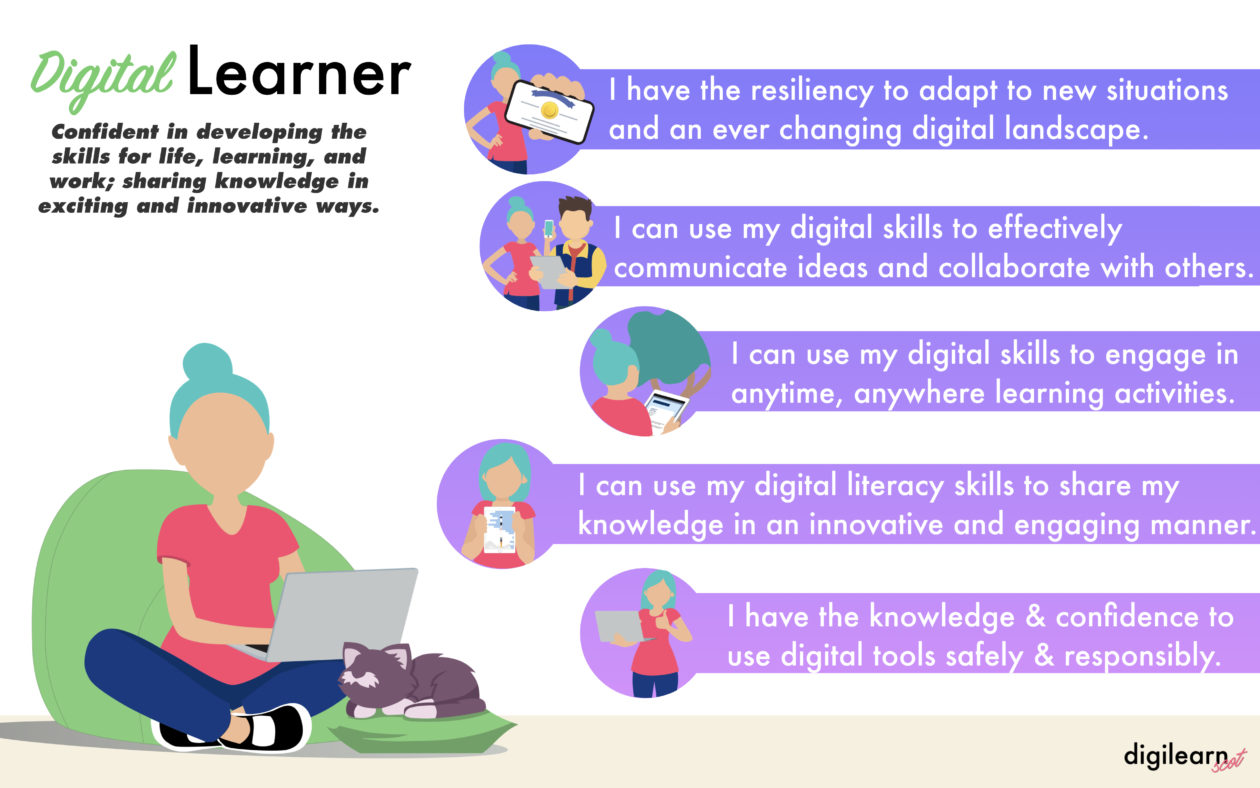
- Use the Education Scotland Digital Vision posters to support discussions with learners around their developing digital skills and the importance of using technology responsibly.
Searching, processing and managing information responsibly
TCH 0-02a – I can use digital technologies to explore how to search and find information.
Benchmarks 📃
- Demonstrates an understanding of how they should not use materials owned by others without permission.
- Identifies and uses images and key words when searching for specific information.
- Demonstrates an understanding of how information can be found on websites as text, audio, images and video.
Suggested Learning 📝
- Identify brand names and logos.
- Demonstrate an understanding that using content without permission is stealing.
- Understand what a website offers.
- Use a search engine to find out information.
- Filter my search results for images and videos.
Resources and Lesson Ideas 💻
- Share corporate logos for companies and businesses to see if learners can identify them, for example a local supermarket logo.
- Explain that the company owns the logo and link with the school/nursery logo. When you see the logo, you know it represents the school/nursery and that they own the logo.
- Make links with permissions that are used in the school/nursery, for example asking permissions from parents and carers about taking photographs.
- A search engine allows you to search for images, videos and text within websites. Model this by searching for words related to current learning, show how you can choose to look for images, video or text.
- Give learners the opportunity to search for information online, start with an image search and search for CVC words such as cat, dog, sun.
Cyber resilience and internet safety
TCH 0-03a – I can explore, play and Communicate using digital technologies safely and securely.
Benchmarks 📃
- Demonstrates an understanding of appropriate behaviour and language in the digital environment.
- Demonstrates an understanding of the importance of passwords and passcodes for example access to school building
Suggested Learning 📝
- Understand that I should only go online when supervised by an adult
- Explain why passwords and passcodes are important to keep me safe
- Demonstrates an understanding of why it is just as important to behave online as it is in the playground
Resources and Lesson Ideas 💻
- Discuss how learners use online services, such as YouTube and games, and how they see adults in their life using them.
- Watch and then discuss online safety videos and activities, such as those found at: Think You Know or UK Safer Internet Day/Centre.
- Explore children’s storybooks that explore online safety, such as Chicken Clicken, Digi Duck’s Big Decision or The Internet is Like a Puddle.
- Discuss who should know a password and how to keep them safe.
- Use password grids to help learners remember their passwords.
- South West Grid for Learning (SWGfL) lesson plans and resources.
- General information on cyber resilience and internet safety for teachers and parents – Thinkuknow – Internet Matters and Childnet as well as useful resources for learning by age and stage.
- The Early Years – section 7 of Education for a Connected World.
Want to view a different section?
Want to return to the main page?
 Mr Morrison